YouTube + local files
Search for a track or load an audio file. Prepared audio supports full waveforms and audible forward and reverse seeking.
A two-deck DJ mixer for YouTube and local files.
Version 1.6.2 · ZIP · Desktop Chrome
SHA-256 checksum
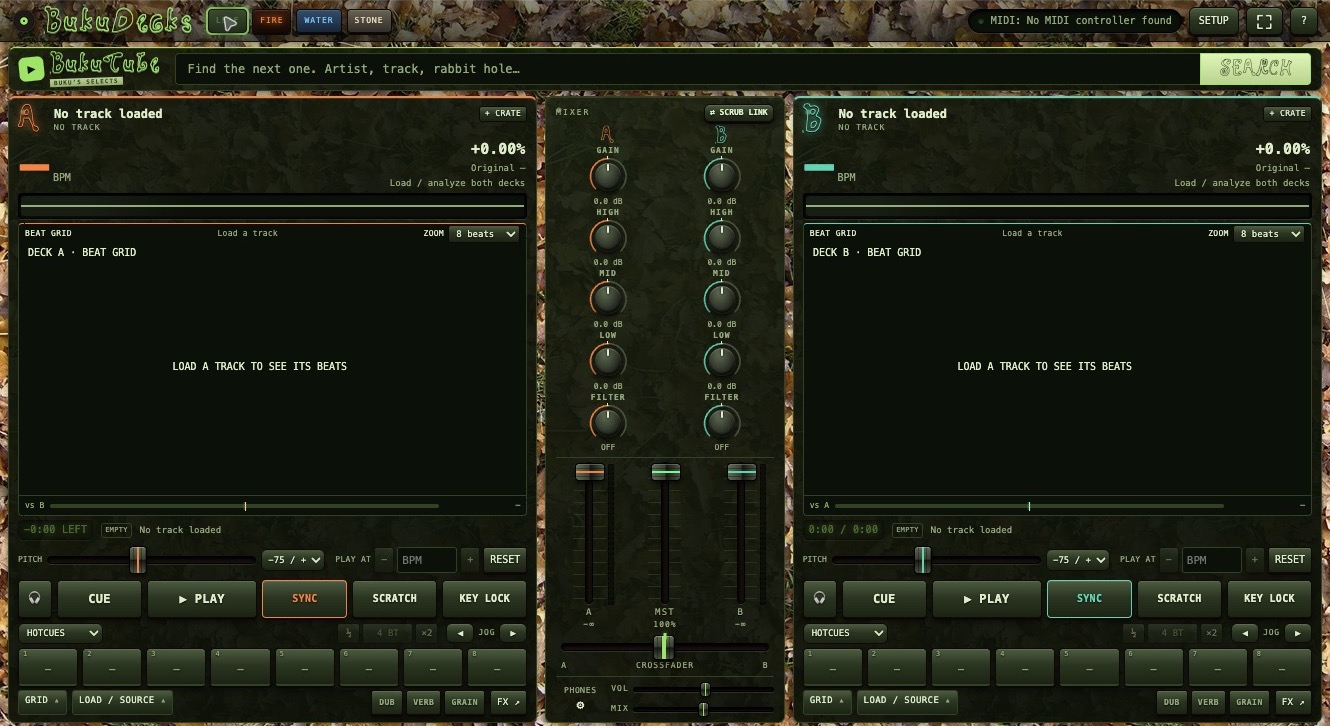
Search for a track or load an audio file. Prepared audio supports full waveforms and audible forward and reverse seeking.
Live tempo displays, editable grids, sync, hotcues, loops, channel EQ, and per-deck effects.
Profiles for Numark Mixtrack Pro FX and Party Mix controllers, MIDI learn, and keyboard controls for both decks.
Download and extract the ZIP, then keep the BukuDecks-1.6.2 folder somewhere permanent. Installation instructions are also included in the download.
In desktop Chrome, open chrome://extensions. Enable Developer mode, choose Load unpacked, and select the extracted folder containing manifest.json. Open BukuDecks from the toolbar.
With the dependencies installed, open Terminal in the extension folder and run node audio-bridge/server.mjs. On macOS, the included Start BukuDecks Audio.command also starts it for the current session.
Connect your controller. Under SETUP → Controller, choose the MIDI device. Configure the main and headphone outputs under SETUP → Audio.
Choose Prepare full audio, load a track, and wait for READY. Check the beat grid and headphone routing before mixing. Prepared playback currently changes pitch with tempo.
The browser sequencer, sampler, and synth.